



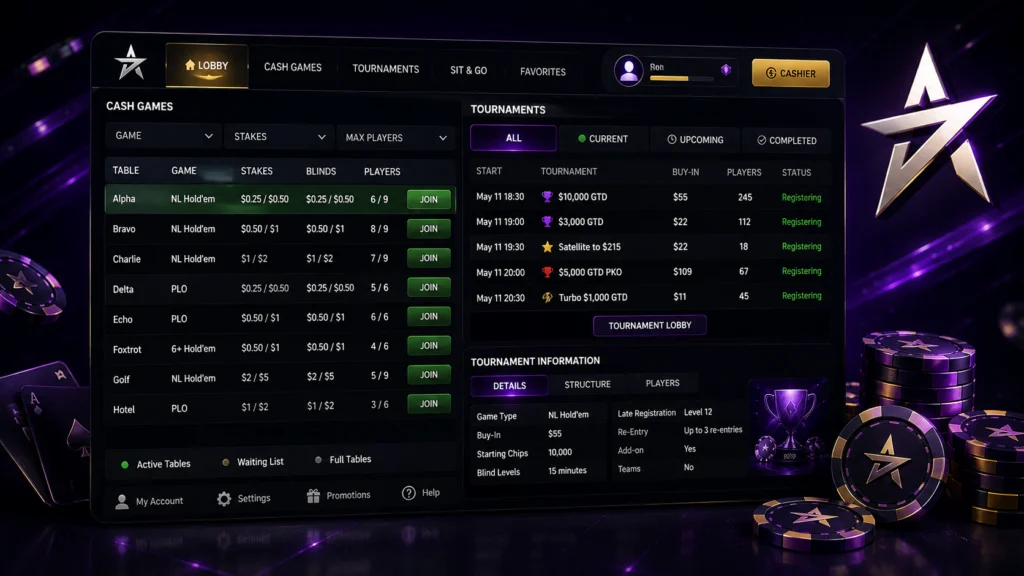
For tournaments, the client provides additional event information and filtering options, including access to current, upcoming and completed events. Review the available tables and tournaments, narrow the results to your preferred format, then select an event or table directly from the lobby.
Key Takeaways
- Central lobby for browsing cash games, tournaments and Sit & Go formats
- Filters for game type, blinds, table format, seats and tournament buy-ins
- Direct table joining and step-by-step tournament registration
- Tile, Cascade and hotkey options for managing multiple active tables
- Tournament information and lobby filters can be adjusted to match search preferences
What You’ll Find Inside the ACR Poker Lobby
Within the ACR Poker lobby, different game areas are organized around the type of poker being played. Cash-game listings are used to locate available tables, while the tournament section focuses on scheduled events and their registration status. ACR Poker’s support documentation also lists formats such as Hold’em, Omaha, Sit & Go tournaments, satellites, freerolls and other tournament types.
The tournament area provides more than the event name and buy-in. Depending on the tournament, players can review information connected with its structure and current status before registering. The available information can include blind structure, tournament stage and other event details shown through the tournament information area. Those who play ACR Poker regularly usually check these details first, since the structure affects how long an event runs and how deep the starting stacks are.
| Lobby area | Information available | Main purpose |
| Cash Games | Game type, stakes, blinds, table availability | Compare open cash tables |
| Tournaments | Event listings, registration status, scheduled events | Find tournaments to enter |
| Tournament Filters | Current, upcoming and completed events | Narrow a large event list |
| Tournament Information | Blind structure and other event details | Check tournament conditions before registration |
| Sit & Go / Satellites | Specific tournament formats and qualifying events | Locate shorter or qualifying formats |
This organization keeps game discovery separate from the active table, allowing players to review available options before opening a playing session.
Filtering and Sorting Games in the ACR Poker Lobby
When the game list becomes extensive, the poker lobby view can be narrowed using the filters available for different sections. Tournament filters are designed to reduce the number of events shown and can separate current, upcoming and completed tournaments. This is particularly useful when several events are listed at the same time.
Cash-game selection follows different criteria. Players looking for a particular table can use details such as game type, bet type, blinds and table format to identify suitable games. The waiting-list system also provides options related to game, format, blinds and the number of seats.
For tournaments, the Buy-In filter can be used to locate events within a specific entry range, including freerolls. ACR Poker’s support documentation specifically directs players to the Tournaments area and the Buy-In filter when looking for freeroll events.
Joining a Table or Tournament from the Lobby
Selecting a cash table starts with checking the available listings and choosing an open seat or joining the relevant waiting list when the table is full. The process is therefore based on table availability rather than tournament registration, with the player moving directly from the listing to the selected game.
Tournament entry uses a defined registration sequence:
- Open the Tournaments tab.
- Browse the listed events and select a tournament marked as registering or in late registration.
- Open the event and select Join.
- Review the tournament information displayed in the new window.
- Click Register to confirm participation.
This process also allows the tournament details to be reviewed before registration is completed. The separate information window keeps the event data accessible at the final stage of the registration process.
Managing Multiple Tables from the ACR Poker Lobby
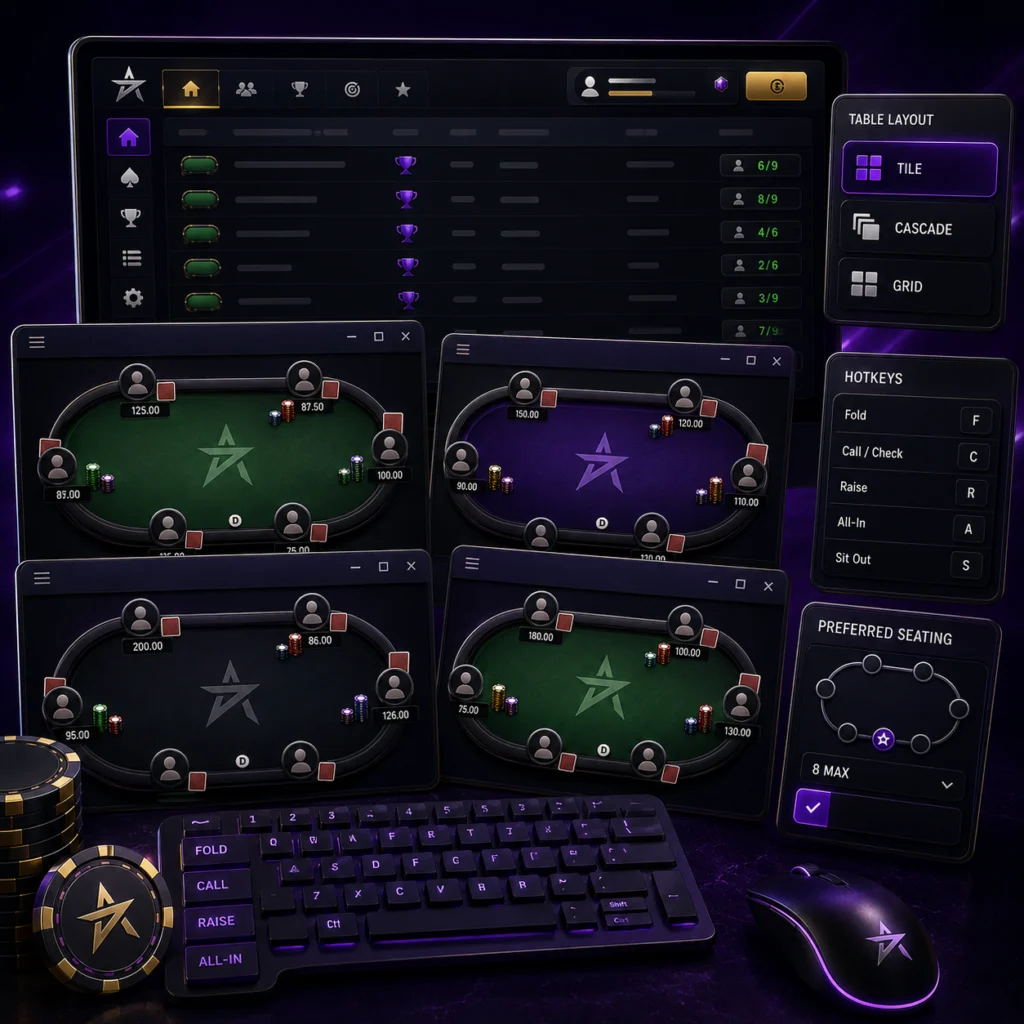
The ACR Poker lobby becomes part of a broader table-management workflow when several games are open at once. The client supports different arrangements for active table windows, allowing players to organize them according to the number of tables being played and the available screen space.
Tile and Cascade layouts provide different ways to arrange open table windows. Keyboard shortcuts can also be customized for frequently used actions, reducing the need to control every table entirely with the mouse. ACR Poker provides dedicated hotkey settings for this purpose.
Preferred Seating adds another option for table organization. Players can select preferred positions for supported table sizes, so the chosen seating preference can be applied when joining matching games.
Customizing Your ACR Poker Lobby View
The lobby display can be adjusted to make specific information easier to access during a session. Tournament information is presented in a dedicated area, and the blind structure can be viewed directly within the tournament lobby through the information window.
Filtering preferences can also reduce repeated setup when searching for similar tournaments. Rather than reviewing every event in the schedule, players can use the available tournament filters to focus the display on the relevant stage or type of event.
For players who monitor several tables, customization is less about adding more information and more about controlling what remains visible on screen. Table arrangements, hotkeys and preferred seating can therefore be combined according to the way an individual session is managed.